
Plans at a glance
Annual billing is available at a discount on paid plans. See the pricing page for current rates.
How credits work
- One shared pool — All workspace members draw from the same credit balance
- Reserved per chat turn — When you send a message, credits are reserved while the AI responds, then settled based on actual usage
- Model-dependent cost — Premium models consume more credits than standard models
- Monthly refresh — Paid plan credits reset each billing cycle; unused credits do not roll over
What uses credits
- Chat messages with AI agents
- Code generation and refactoring
- Prompt enhancement
- Other AI-powered features in the builder
What does not use credits
- Browsing your project and previewing locally
- Publishing (deploying) your app
- Managing workspace settings and members
Free credits (Free plan)
Every workspace on the Free plan includes a one-time credit allowance so you can try Builder before upgrading. This is separate from monthly credits on paid plans — it does not renew each billing cycle.Who gets them
Free credits are included for:- Workspaces on the Free plan — when you sign up or create a workspace without a paid subscription
- Your whole workspace — all members share the same balance, the same as on paid plans
Where your balance appears
Your credit balance is always visible in the app:- Top right of the screen — on every page, including the project dashboard and chat
- Sidebar — credits card with your current balance and Manage plan
- Settings → Billing — full balance and plan details
When they’re used
Credits are consumed when agents run:- Chat messages with AI agents
- Code generation and refactoring
- Prompt enhancement
- Other AI-powered features in the builder
How much you get
Paid plans include fresh credits every billing cycle. Free credits do not stack with monthly plan credits — upgrading replaces Free-tier access with your plan’s benefits.
Model limits on Free
Free credits work with standard models on the Free plan — the default options in the model picker for everyday building.- Premium models are not available while you’re on the free allowance
- Each message costs credits based on the model and how much the agent generates
- If you select a model your plan doesn’t include, Builder will ask you to upgrade or switch to a standard model
Premium models unlock on paid plans according to your tier. See the plan comparison below.
Rate limits on Free
Free workspaces also have chat rate limits per workspace. These apply in addition to your credit balance and help keep trial usage fair for everyone.- Limits apply to AI chat requests on the Free plan — each message you send counts toward both caps
- Limits are per workspace, shared across all members in that workspace
- If you hit a limit, wait for the window to reset (hourly or daily) or upgrade to a paid plan for uninterrupted access
- Paid plans are not subject to these Free-tier rate limits
When free credits run out
When your balance hits zero (shown in the top-right balance, sidebar, and billing settings):- AI chat and generation pause until you have credits again
- You can upgrade to a paid plan for monthly credits, more projects, premium models, and higher limits
- Free credits do not reset — there is no monthly refill on the Free plan
Feature highlights by plan
Build & create
Deploy & ship
Collaborate
Redeem a promo code
Have a promo code? Apply it from the plans modal in the app. Watch the walkthrough, then follow the steps below.1
Open Plans and Credits
From the left menu, open Plans and Credits.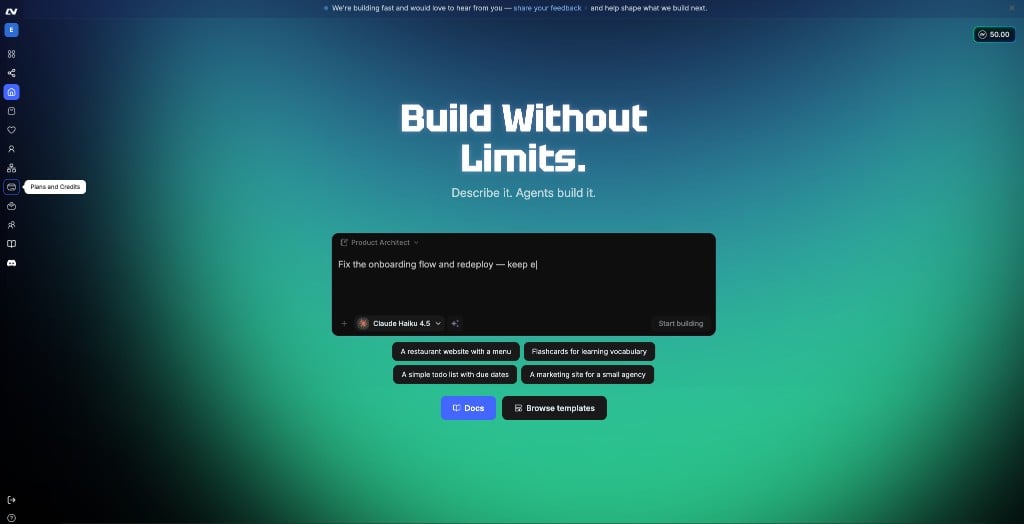
2
Click Change plan
In the Billing panel, under your current plan, click Change plan.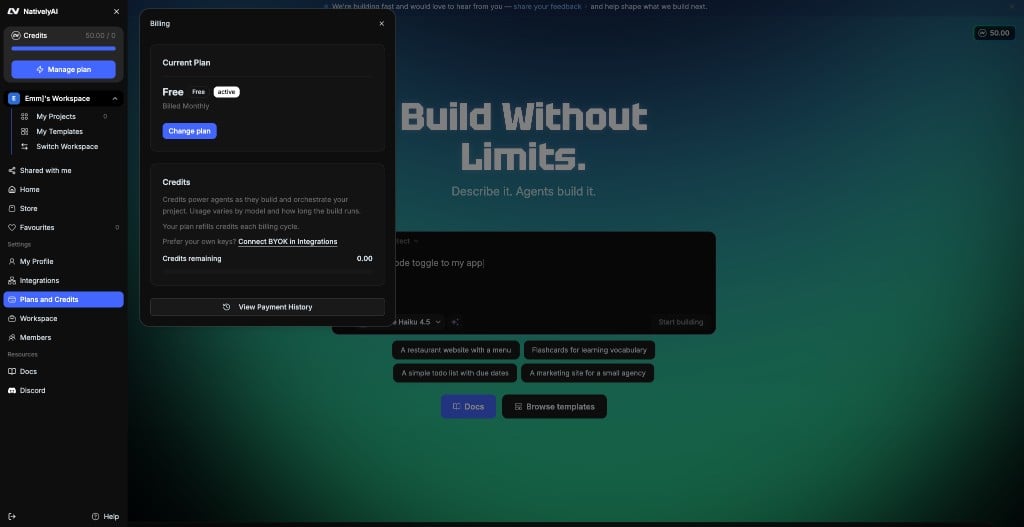
3
Open the promo code field
The Choose a plan modal opens. At the bottom, click Have a promo code?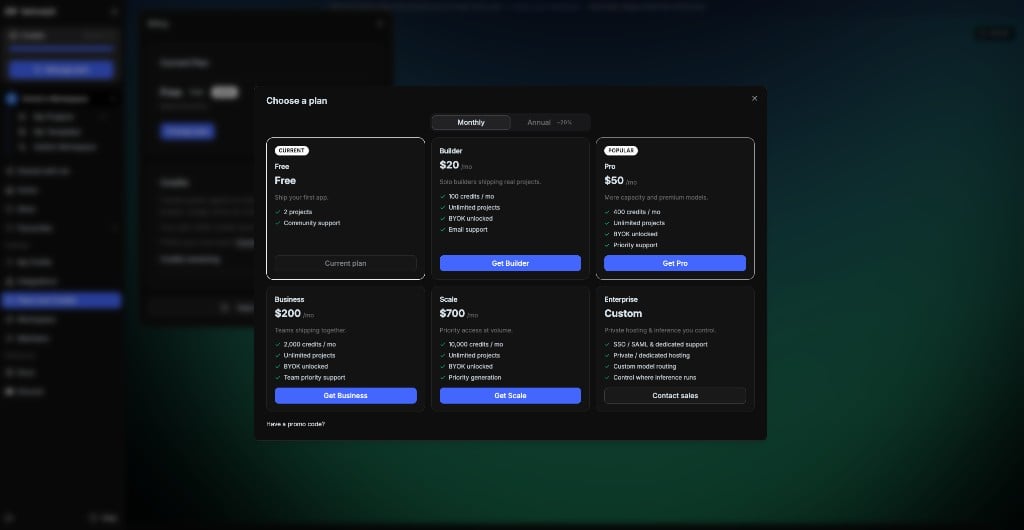
4
Enter the code and Apply
Type your promo code in the input, then click Apply.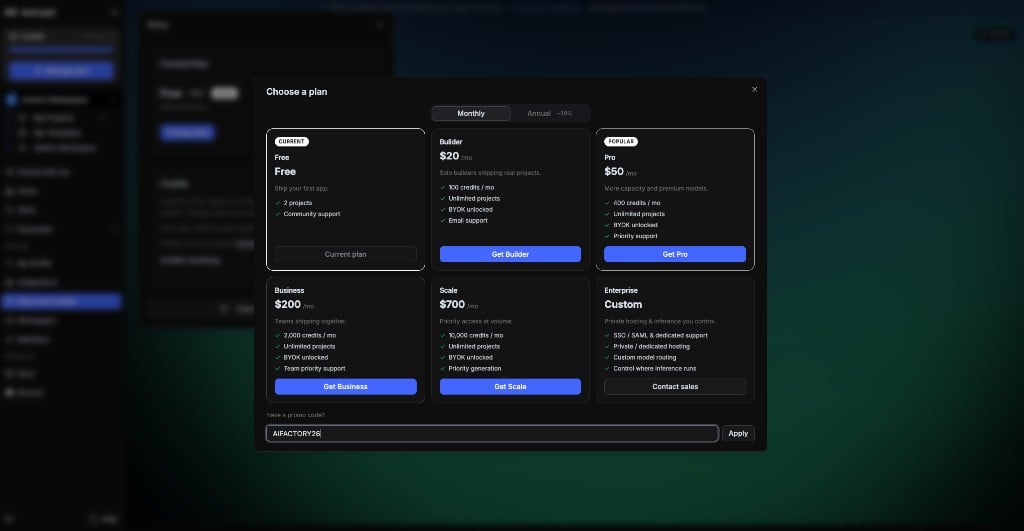
Manage billing
1
Open billing settings
In the app, open Settings → Billing (or go to builder.nativelyai.com/?settings=billing and click a plan).
2
Choose a plan
Select the plan that fits your usage. You’ll be redirected to Stripe checkout for paid plans.
3
View your balance
Your current credit balance is visible in the top-right corner, the sidebar, and Settings → Billing.
Running out of credits
When your workspace credit balance is depleted:- AI chat and generation are paused until credits are available
- You can upgrade your plan or wait for your next billing cycle
- On the Free plan, see Free credits for one-time allowance, model limits, and rate limits
Enterprise
For organizations running an enterprise AI factory — SSO/SAML, custom SLAs, dedicated infrastructure, and white-glove onboarding — contact sales@nativelyai.app. Enterprise plans support governed AI app builder workflows at scale: unlimited members, staged deploys, and infrastructure aligned to your compliance needs.Next steps
AI software factory
Enterprise, agencies, and model-agnostic design.
FAQ
Common billing and account questions.
Pricing page
Full feature comparison with live pricing.
Referral program
Earn extra credits by inviting friends to native.builder.